How To Use the DTL Website
Having trouble using our website? No worries! Below is some helpful info.
If you’re still having trouble, contact us.
How To Use a Gift, Discount, or Any Other Code to Purchase a Class
Step 1
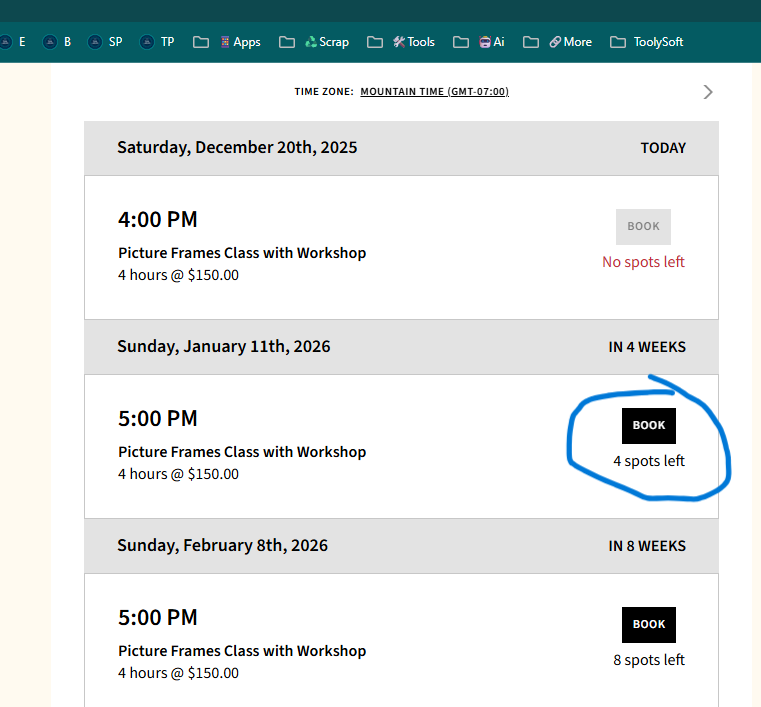
Go to https://denvertoollibrary.org/classes and click on the class you’d like to sign up for.
Scroll down to the bottom of the listing and find the table of date & time options.
If you don’t see any dates & times listed here, that means there are currently no available dates for the class.
Step 2
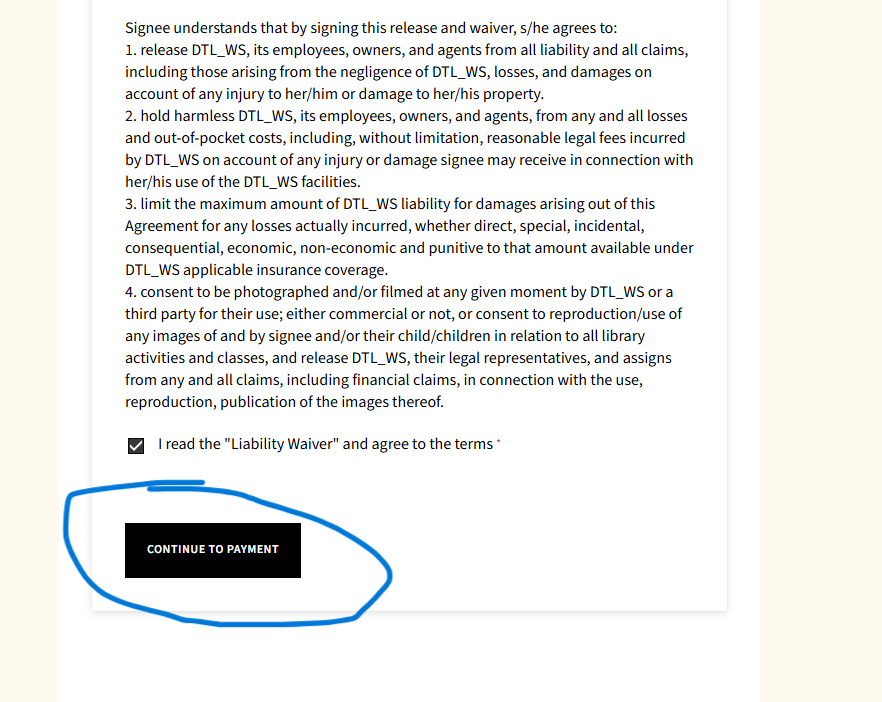
Fill out your personal information, read the agreements and waiver, and click all the boxes.
Then click “Continue to Payment”.
Step 3
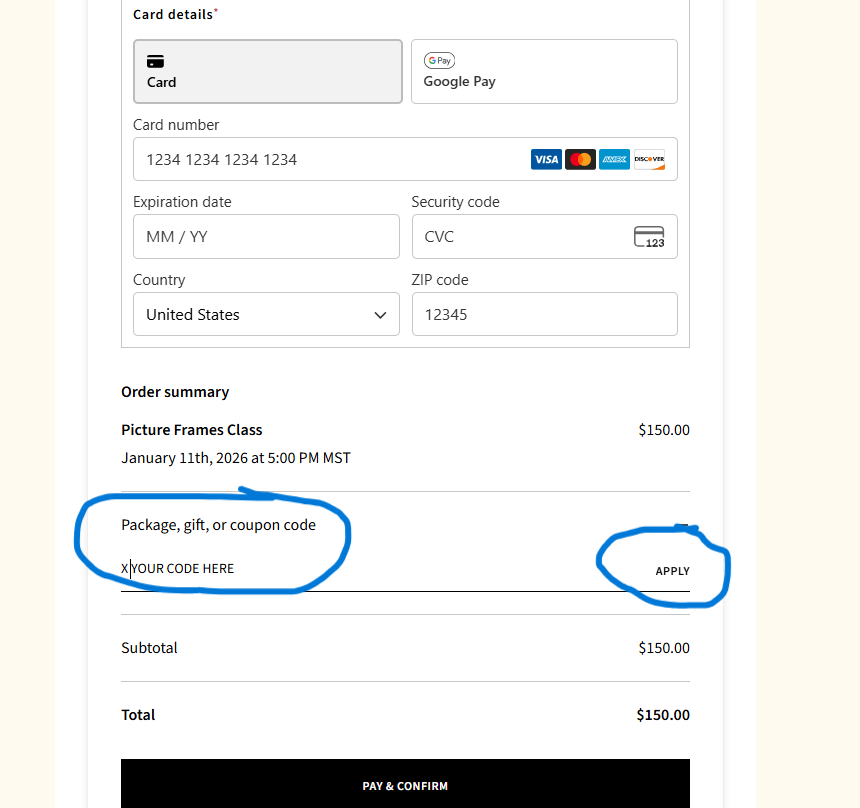
Enter your payment information, find the “Package, gift, or coupon code” area.
Press the “+” button next to it, and then you’ll be able to add your code.
Press “Apply”. You will now see the discounted price (note: if you don’t see the discounted price, the code has NOT been added correctly).
Click the “Pay & Confirm” button, and your done!